Most small business owners are doing work their computers could handle. Not because automation is hard to understand, but because nobody has stopped to point out which tasks are the easiest to hand off. Here are five that almost every business can automate, regardless of industry or technical background, along with what the setup actually involves and what you should expect to get back.
Email Triage and Auto-Replies
The average professional spends over two hours per day managing email. A significant portion of that time goes to categorising messages and sending responses that are essentially identical every time. An automated system reads incoming emails, sorts them by intent, and sends a tailored reply within seconds. Messages that genuinely need a human still get one. The rest are handled before you have finished your first coffee.
The setup involves defining the categories that matter for your business, writing the response templates once, and connecting the system to your email account. For most businesses, the categories are straightforward: new enquiry, existing client question, press or collaboration request, spam. The logic does not need to be complex to be effective.
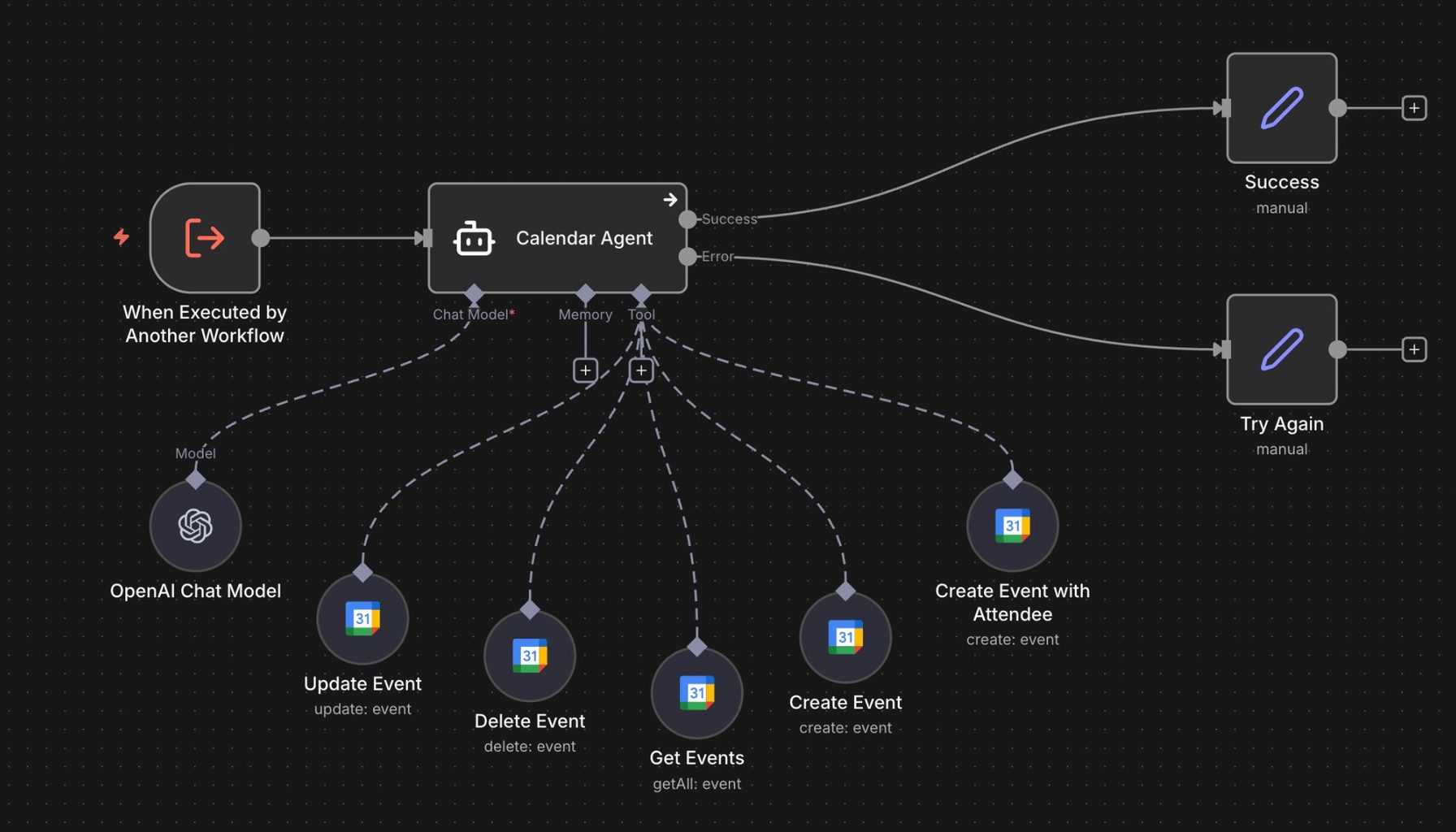
The Konkan Sun Productions inbox handles two active brands simultaneously. Every incoming email is categorised by intent automatically. Warm leads are flagged for personal follow-up. Cold emails receive an auto-reply and are logged. If no human response goes out within three days, a follow-up fires automatically. Inbox triage time dropped from 45 to 60 minutes per day to under five minutes of reviewing flagged leads only. Most businesses reclaim two to four hours per week from this single workflow.
Client Follow-Ups After a Job
Repeat business is lost more often to silence than to bad service. A client who had a good experience and never heard from you again has no particular reason to come back. Automated follow-up sequences fix this without requiring any ongoing attention from you.
A well-designed follow-up sequence has three beats. A thank-you goes out the day the job is marked complete. A review request follows three days later, timed to land when the experience is still fresh but the client has had a chance to use the work. A re-engagement message goes out after thirty days of inactivity, asking whether there is anything else on their list. No promotion, no discount, just a reminder that you exist and are available.
The timing matters as much as the content. Businesses that follow up within 24 hours of job completion are 60 percent more likely to receive a review. Most businesses follow up when someone remembers to, which is inconsistently and often too late. Automation makes consistency reliable, which is what clients actually experience as good service.
Appointment Reminders and Booking Confirmations
No-shows cost service businesses real money. Automated confirmation and reminder messages, sent 24 hours and two hours before an appointment, reduce no-show rates by 30 to 50 percent on average. For a business with 20 appointments per week at an average job value of $200, recovering even two additional appointments per week adds up to over $20,000 in recovered revenue per year.
The setup is straightforward: connect your booking system to an automation platform, define the reminder timing, and write the message templates. Most booking systems have native integrations with automation tools. For systems that do not, a simple webhook connection handles it.
Beyond reminders, booking confirmations sent immediately after a client schedules reduce the anxiety that leads to last-minute cancellations. A confirmation that includes everything the client needs, location, what to bring, how to prepare, and a contact number for questions, sets the stage for the appointment before it happens.
Invoice Generation and Payment Follow-Up
Sending invoices manually, tracking which ones have been paid, and chasing overdue payments is time-consuming and easy to let slip during a busy period. An automated workflow generates and sends the invoice the moment a job is marked complete, logs the payment when it arrives, and sends reminder messages on a schedule when it does not.
A typical automated billing sequence looks like this: invoice generated and sent on job completion, a payment confirmation sent when the payment lands, a gentle reminder at day ten if the invoice is still open, a firmer follow-up at day twenty, and an escalation flag at day thirty. All of this runs without manual intervention. You see the payment when it arrives and the exception flag when something needs attention.
Businesses using automated invoice workflows collect payment an average of 15 days faster than those managing invoicing manually. For a business with a monthly receivables balance of $30,000, collecting 15 days faster is worth real money in cash flow terms, before you account for the time saved chasing payments.
Data Entry and Database Updates
Any task that involves copying information from one place and entering it into another is a candidate for automation. New client records, product details, performance data, inventory counts, review scores: all of these can be captured and logged automatically as they come in, rather than batched and entered manually at the end of the week.
The manual error rate for data entry averages one to four percent per field. In a database with 500 records and 10 fields each, that means between 50 and 200 errors. Those errors compound: a wrong email address means a missed follow-up. A wrong invoice amount triggers a dispute. A duplicate record means two people contacting the same lead with different messages. Automated pipelines that validate data on entry bring the error rate to near zero.
The fragrance database at The Society of Scents and Spirits tracks over 750 bottles, each with notes, reviews, acquisition data, and sourcing information. Before automation, keeping it current was taking three hours per week and still falling behind. After building an ingestion pipeline, it updates automatically as new items are added. The three hours dropped to zero, and the database became reliable enough to feed a content suggestion system that now generates post ideas automatically every week.
None of these automations require a developer or a technical background to request. They require someone to describe what is happening manually today and someone else to build the system that replaces it. If any of these sound like your week, let's talk.
Building Each Automation Correctly
Each of the five tasks above can be built at different levels of sophistication. The right level depends on your volume, your existing tools, and how much variation exists in the process. Here is how to think about the build for each one.
For email triage, start by mapping the categories manually before you build anything. Spend one week tagging every incoming email by intent. What are the actual categories? How many emails fall into each one? What does the ideal response look like for each? That mapping exercise produces the data you need to build an accurate classifier and write templates that cover the real cases rather than hypothetical ones.
For client follow-ups, the most important decision is the trigger. What constitutes "job complete" in your current system? If you have a booking or job management tool, the trigger is a status change in that system. If you are working from email or a manual process, the trigger might be a tagged email or a checkbox in a spreadsheet. Define the trigger precisely before building the sequence, because everything else depends on it firing correctly.
For invoicing, the key decision is whether to generate the invoice automatically or to auto-populate a draft that a human reviews before sending. For recurring work with predictable amounts, full automation makes sense. For project work where the invoice amount varies, a human review step before sending protects against billing errors. Build the automation that fits your actual billing pattern, not the one that sounds most impressive.
For data entry, the most valuable step is validation. Before the data writes to the destination, define what a valid record looks like: required fields, acceptable formats, value ranges, deduplication checks. Invalid records should route to a review queue rather than writing with errors. That single design decision is what produces near-zero error rates and what makes the database reliable enough to trust downstream.
The right way to start is not to automate everything at once. It is to pick one task from the list above, document exactly how it works today, and build a system that handles it reliably. Run it for a month, measure what changes, and then decide what comes next. The compounding effect of one well-built automation creating the conditions for the next is real. The businesses that are systematically more efficient are not the ones that made one big decision. They are the ones that made one good decision at a time, consistently, over months and years.
Each of these five automations compounds over time. The client follow-up system that runs for a year will have followed up with hundreds of clients who might otherwise have heard nothing. The invoice automation that runs for a year will have collected payment consistently, without gaps, without delays caused by a busy week. The data pipeline that runs for a year will have maintained a database that is reliable enough to build on. The value is not in any single instance. It is in the consistent execution, week after week, that a manual process cannot match.