There is a structural principle in screenwriting that applies directly to building automation workflows: every scene needs a clear trigger, a clear action, and a clear outcome. Scenes that violate this principle confuse the audience. Workflows that violate it break silently, produce unpredictable results, and are difficult to diagnose when something goes wrong.
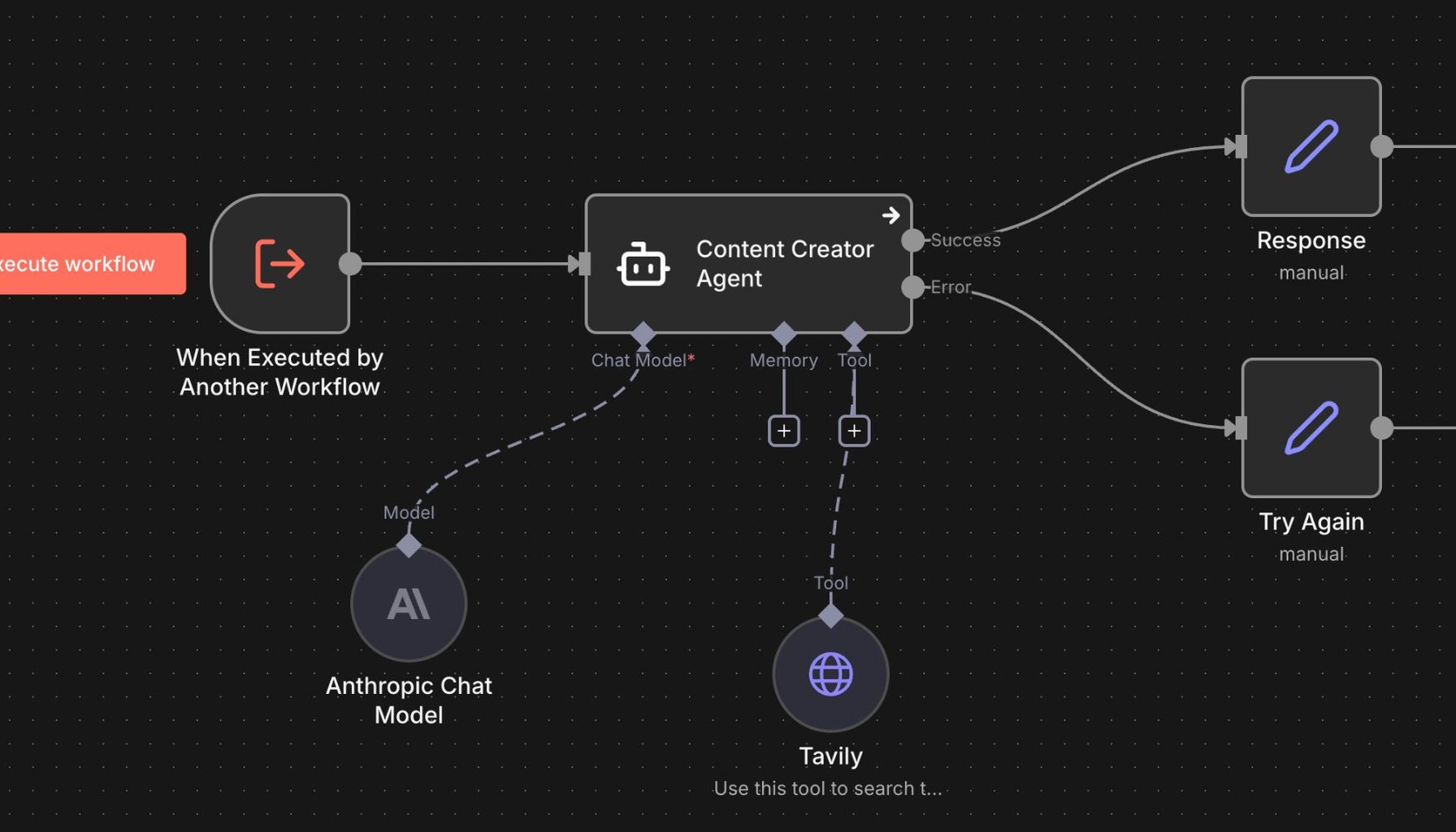
The parallel runs deeper than structure. The disciplines of writing and workflow design share the same core problem: how do you move from an idea to a working system that reliably produces the intended result, without losing clarity along the way?
The Logline Test
Every screenplay starts with a logline: one sentence that describes what the story is about. Not a summary of the plot. Not a list of the scenes. One sentence that captures the essence of what the film is trying to do.
Before building any automation, write one sentence describing what the workflow accomplishes. "When a new client books a job, send a confirmation, create a project record, and schedule a follow-up for 48 hours after completion." That sentence is the brief. Every step in the workflow either serves that brief or it does not belong in the workflow.
At Agent Micho, this sentence gets written before any build begins. It keeps the workflow focused and makes future edits faster. When a client asks whether a new feature should be added to an existing workflow, the answer comes from the logline: does this addition serve what the workflow is trying to accomplish, or does it belong in a separate workflow? The logline is the filter.
The Three-Act Structure of a Workflow
Every well-built automation has three parts: a trigger, a sequence of actions, and a terminal state. This maps directly to the three-act structure of a screenplay.
The trigger is the inciting incident. Something happens that sets everything in motion. A form is submitted. An email arrives. A date passes. A payment is confirmed. A record is updated. Without a clear, specific trigger, the workflow either fires constantly or never fires at all. Vague triggers produce vague outcomes.
The sequence is the second act, where everything that matters happens. This is where most workflows become complicated. The discipline is to keep each step doing exactly one thing. A step that sends an email and updates a CRM record and creates a task and logs a completion note is four steps compressed into one. When it breaks, and it will break eventually, you will not know which part failed. Keep steps atomic: one action, one output, one clear success condition.
The terminal state is the resolution. Every path through the workflow should reach a defined end. "Message sent and logged." "Escalated to human for review." "Archived with error flag." Workflows without terminal states run indefinitely, get stuck in loops, or produce duplicate outputs. Defining the end states forces you to think through every possible path through the workflow, including the ones where something goes wrong.
The Editing Problem: What to Cut
In film, the editing room is where a three-hour assembly becomes a tightly told story. The raw footage is often good. The work is in deciding what to cut and in what order to place what remains. A scene that is interesting but does not serve the story has to go, no matter how well it is made.
Automation has the same problem. The first version of any workflow is almost always too long. Clients add steps because they are thinking about every possible exception and edge case. "But what if the client does not respond? What if the email bounces? What if it arrives on a weekend? What if the record already exists?"
Handle the 80 percent case first. Build the common path cleanly and test it until it runs without errors. Then add exception handling for the cases that actually occur at meaningful frequency. A workflow that handles the common case reliably and flags the exceptions for human review is more valuable than one that tries to handle every edge case automatically and breaks on the main path. The main path is the story. The exceptions are the footnotes.
Continuity and Consistency
Continuity errors in film are the moments that break the audience's suspension of disbelief. A glass that is half-full in one shot and full in the next. A character wearing a jacket that disappears between scenes. Small inconsistencies that pull the viewer out of the story.
Workflows have continuity errors too. A field that is populated in one step and referenced with a different name in the next. A timestamp that is recorded in UTC in one system and local time in another. A status flag that is set to "complete" in the CRM but never updated in the billing system. These inconsistencies cause failures that are difficult to trace because they look correct at every individual step.
The fix is the same as in film production: establish your conventions at the start and enforce them throughout. Define your data formats, your field names, your status vocabulary before you build. Every step in the workflow uses the same terms in the same format. When something breaks, the inconsistency is easy to find.
The Director's Eye: Knowing What the Scene Is About
The best directors know what a scene is about before they block a single actor or call for the camera. Every decision on set serves that understanding. The lens choice, the staging, the pacing of the performance. All of it in service of the one thing the scene is trying to communicate.
The same focus is what separates a well-designed workflow from a sprawling one. Know what the workflow is trying to accomplish. Not everything it could do, not every feature that might be useful someday. What is it for, and what does success look like? That question, answered clearly at the start, makes every subsequent design decision faster and cleaner.
Workflow design and screenwriting are both disciplines of structured thinking applied to the problem of reliable communication. The constraints of the medium, whether that medium is a film script or an automation platform, force clarity that more open-ended formats do not. That is not a limitation. It is the thing that makes them work. If you want help designing a workflow that actually holds together, I am easy to find.
Testing Like a Script Read-Through
In screenwriting, the read-through is where a script is performed out loud for the first time with the full cast. Problems that seemed fine on the page reveal themselves immediately when the words are spoken by real people in real time. Dialogue that read well looks awkward when delivered. Scene transitions that seemed logical in isolation create pacing problems in sequence. The read-through is not a performance. It is a diagnostic tool.
Workflow testing should work the same way. Before deploying any automation to production, run it against real data from start to finish, observing every step in sequence. Not test data that was designed to work cleanly. Real data from your actual operations, including the messiest, most inconsistent records in your system.
Watch what happens at each step. Does the trigger fire correctly? Does the first action produce the expected output? Does that output arrive at the second step in the expected format? Does the conditional logic route correctly when the data is unusual? Does the error handling catch the failures that it should catch?
The failures you find in testing are not surprises. They are the same failures that would have appeared in production, just appearing earlier when they are cheap to fix rather than after they have affected real clients. Every workflow has at least one step that behaves unexpectedly with real data. The read-through is how you find it before it matters.
Document the failures and what caused them. Not just to fix the current workflow, but to build a library of known edge cases that inform every future workflow. The second build is faster partly because you already know where the unexpected failures tend to hide. That accumulated knowledge is operational infrastructure as much as any system you build.
The structural discipline of screenwriting and workflow design are both in service of the same goal: producing something reliable from a complex set of moving parts. The screenplay that has no clarity about what each scene is trying to accomplish tends to be confusing to watch. The workflow that has no clarity about what each step is trying to produce tends to fail in ways that are confusing to debug. In both cases, the problem was upstream. It was in the conception, not the execution. Getting clear before building is not extra work. It is the work.
The parallel between film and workflow design is not metaphorical. Both are disciplines of structured thinking applied to systems that need to work reliably for an audience, whether that audience is a cinema viewer or a downstream process. The clarity that a well-written screenplay brings to the production process is the same clarity that a well-designed workflow brief brings to the build. Get clear about what you are making before you start making it. That discipline does not slow you down. It is what makes everything that follows faster.